Starlink for Vanlife Canada: Is It Worth It? A Complete Honest Guide
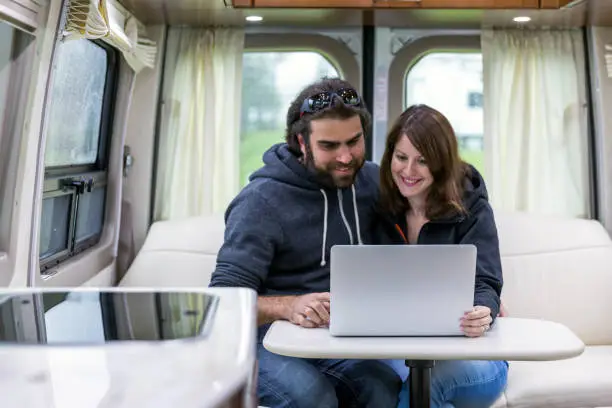
Imagine parking your van beside a glacier lake in the Canadian Rockies, opening your laptop, and joining a video call with fast stable internet. A few years ago that was a fantasy. Today, thanks to Starlink for vanlife Canada, it is a reality for thousands of van lifers traveling coast to coast.
Starlink has become one of the most talked about tools in the van life community. But it is also one of the most expensive. Before you spend 700 dollars or more on hardware, you deserve an honest complete picture of what Starlink offers, what it does not, and whether it is actually worth it for your life on the road.
This guide answers all of that and more.
What Is Starlink and How Does It Work?
Starlink is a satellite internet service built by SpaceX. Unlike traditional satellite internet that relies on a single satellite far out in space, Starlink uses a large network of small satellites in low Earth orbit, much closer to the planet.
That shorter distance is what makes Starlink fast. Traditional satellite internet had noticeable lag called latency that made video calls frustrating and online work difficult. Starlink’s low orbit satellites reduce that lag significantly, giving you an experience much closer to regular home broadband.
Here is how the system works in simple terms.
You buy a Starlink kit that includes a satellite dish called Dishy and a Wi-Fi router. You set up the dish with a clear view of the northern sky. The dish connects to satellites passing overhead. The satellites relay your signal to ground stations connected to the internet. You get internet on your devices through the router.
The whole setup takes about 15 to 20 minutes. The dish is smart enough to track satellites automatically and point itself in the right direction. You do not need any technical skills to get it working.
Starlink Plans for Van Lifers in Canada
Starlink offers different plans for different types of users. For van life, the most relevant one is called Starlink Roam.
Starlink Roam
This plan was built for people who move around. It lets you use Starlink at different locations without being tied to one address.
It runs month to month with no long term contracts, so you can pause or cancel anytime. It is fully portable, meaning you can use it anywhere within Canada and internationally with the global plan. In busy areas with many Starlink users your speeds may be slower than residential subscribers, but in remote areas this rarely matters at all.
For pricing, the Starlink Roam regional plan costs approximately 700 CAD for hardware and around 150 CAD per month for service. The global plan runs 200 CAD or more per month with the same hardware cost.
Prices do change, so always check the official Starlink website for the most current pricing in your area before buying.
What Speeds Can You Expect?
Real-world Starlink speeds for van lifers in Canada typically fall in a solid range. Download speeds run from 25 Mbps to 150 Mbps. Upload speeds run from 5 Mbps to 20 Mbps. Latency sits between 25ms and 60ms.
For context, a standard Netflix stream in HD requires about 5 Mbps. A video call on Zoom uses around 1.5 to 3 Mbps. Remote work tasks like sending emails and using cloud tools use very little data by comparison.
In practice most van lifers find Starlink fast enough for anything they need including working remotely, streaming, video calls, and more. Speeds do vary depending on cloud cover, how many satellites are overhead, and how many users are connected in your area at any given time.
Where Does Starlink Work in Canada?
This is one of the biggest selling points of Starlink for vanlife Canada. It works in nearly every corner of the country including places that have never had reliable internet before.
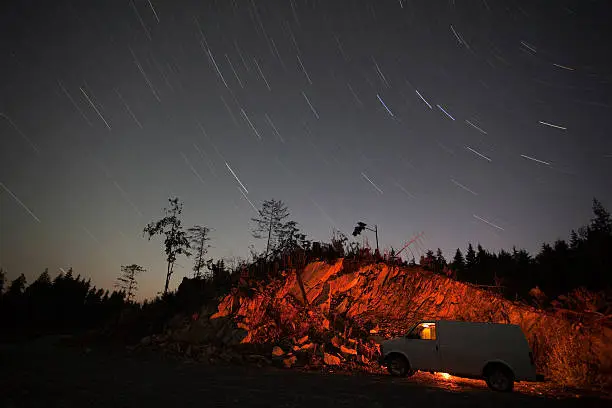
Starlink works well in remote national and provincial parks, in northern Canada and rural areas far from cell towers, at off-grid camping spots with no infrastructure, and in any location where you have a clear view of the sky.
According to the Canadian Radio-television and Telecommunications Commission, a significant portion of rural and remote Canada still lacks access to basic broadband speeds. Starlink fills that gap in a way that traditional carriers simply cannot.
The main limitation is the sky view requirement. Heavy tree cover can block the signal. If you are camping deep in a dense forest you may need to find a clearing or a spot where the canopy opens up. The Starlink app has a useful sky scan feature that shows you exactly where obstructions are around your dish before you commit to a spot.
Starlink does not work well inside tunnels, in spots with no clear sky view like dense forests or narrow canyons, or during heavy rain and snowstorms where the signal can weaken but rarely drops completely.
Setting Up Starlink in a Van: Practical Considerations
Getting Starlink to work is easy. Making it work well in a van takes a bit more thought.
Mounting the Dish
The dish needs to sit level and face the sky without obstructions. Van lifers handle this in a few different ways.
A permanent roof mount is clean and aerodynamic and always ready to go. The downside is that it requires drilling into your roof and can create wind noise while driving. Some people use roof racks with mounting brackets instead to avoid the drilling.
A portable tripod is the most popular option among van lifers. You set it up outside when parked, which protects the dish from wind while driving and lets you adjust the position easily. The downside is the setup and teardown every time you move.
A hitch mount uses a receiver hitch-mounted pole that is easy to raise and lower without any roof modifications. It is a solid middle ground for people who want flexibility.
For most van lifers the tripod or hitch mount is the most practical option because it keeps your roof intact and gives you positioning flexibility.
Power Consumption
Starlink draws about 40 to 75 watts of power while running. In a van with a solar setup this is a real consideration you should not overlook.
A typical 200 watt solar panel setup may struggle to run Starlink all day alongside other devices. If you plan to use Starlink regularly you should have at least 400 watts of solar panels and 100 to 200Ah of lithium battery storage to support it comfortably.
Many full-time van lifers who use Starlink have upgraded their electrical systems to handle the extra load. It is worth budgeting for this if you do not already have a robust solar setup. If you need help sizing your system, our guide on the off grid van power system covers everything you need to know about solar panels, batteries, and inverters for van life in Canada.
Cable Management
The Starlink dish comes with a cable that runs from the dish to the router. Managing this cable when using a portable setup takes some planning. Some people route it through a window using a flat cable adapter. Others use a magnetic cable pass-through on the van door to keep things tidy and secure.
Starlink vs Mobile Hotspot for Vanlife in Canada
Most van lifers end up comparing Starlink to using a mobile hotspot through a Canadian carrier. Here is an honest side-by-side look at how they stack up.
Starlink has excellent coverage in remote areas while mobile hotspots offer poor to no coverage in those same locations. In cities, mobile hotspots perform excellently while Starlink still works well. Starlink speeds run 25 to 150 Mbps while mobile hotspots deliver 10 to 100 Mbps depending on the carrier and location. Starlink costs around 150 CAD per month while mobile hotspots range from 30 to 120 CAD per month. Starlink requires dish setup while hotspots need almost no setup at all. Starlink uses significantly more power than a mobile hotspot. Neither requires a long-term contract if you choose the right plan.
The honest answer is that neither option beats the other in every situation. Many van lifers use both. Starlink handles the remote areas where carriers cannot reach, and a mobile data plan covers cities where setting up the dish is impractical.
Who Should Get Starlink for Vanlife?
Starlink for vanlife Canada is a great fit if you frequently camp in remote areas with no cell signal, if you work remotely and need reliable high-speed internet every day, if you travel in northern or rural Canada where carrier coverage is thin, or if you can afford the upfront hardware cost and monthly subscription.
Starlink may not be the best choice if you mainly stay in cities or areas with strong cell coverage, if you are on a very tight budget, if you do not have a solar setup capable of handling the extra power draw, or if you only need occasional internet access and a mobile hotspot covers your needs.
Real Van Lifer Experiences with Starlink in Canada
Van lifers across Canada have reported overwhelmingly positive experiences with Starlink in remote locations. The common themes come up again and again.
People describe getting fast internet in places they never expected to have any signal at all. Full-time remote workers talk about being able to do their jobs from national parks and wilderness areas without interruption. Families mention calling loved ones via video from remote campsites that previously had zero connectivity.
Occasional slowdowns during bad weather are the most common complaint, but complete outages are rare. The biggest trade offs that people mention consistently are the cost, the power draw, and the bulk of carrying and storing the dish. These are real considerations worth thinking through seriously before you buy.
Tips for Getting the Most Out of Starlink in Your Van
Use the Starlink app regularly. It shows your signal quality, highlights obstructions around your dish, and lets you manage your account and pause service when needed. Use it to find the best parking spot before you commit.
Pause your subscription when you do not need it. If you are spending a few weeks in a city and using your phone data, pause Starlink so you are not paying for a service you are not using. The month-to-month flexibility makes this easy.
Protect the dish during transit. The dish is fairly durable but repeated vibrations from rough logging roads and gravel routes can cause wear over time. Store it safely when you are driving.
Get a flat cable adapter. This lets you run the Starlink cable through a closed door or window cleanly without leaving gaps or causing damage to the seal.
Connect with the van life community online. Starlink users in the Canadian van life community share the latest tips, coverage feedback, and setup ideas constantly. The Canadian Internet Registration Authority also publishes annual reports on internet access across Canada that give useful context on where connectivity gaps still exist and where Starlink makes the most difference.
Frequently Asked Questions
Is Starlink worth it for vanlife in Canada?
For full-time van lifers who explore remote areas of Canada, yes it is absolutely worth it. The ability to work from anywhere, stay connected with family, and access reliable internet deep in the wilderness is something no mobile carrier can match in those locations. For part-time or city-based van lifers the monthly cost may be harder to justify when a mobile hotspot covers most needs at a lower price.
How much does Starlink cost for vanlife in Canada?
The hardware kit costs approximately 700 CAD. The Starlink Roam regional plan runs around 150 CAD per month with no long term contract. The global plan runs 200 CAD or more per month. You can pause service anytime you do not need it.
Does Starlink work in Canadian national parks?
Yes. Starlink works well in most Canadian national parks as long as you have a clear view of the sky. Open campsites and meadows work great. Dense forest camping may require finding a spot where the tree canopy opens up. The Starlink app sky scan feature helps you find a usable position quickly.
How much power does Starlink use in a van?
Starlink draws approximately 40 to 75 watts while running. To support it comfortably alongside other devices you should have at least 400 watts of solar panels and 100 to 200Ah of lithium battery storage. Many van lifers upgrade their electrical system specifically to accommodate Starlink.
Can I pause my Starlink subscription while vanlifing in Canada?
Yes. The Starlink Roam plan is month to month with no long-term commitment. You can pause your subscription anytime through the app or your online account and reactivate it when you need it again. This makes it practical for seasonal van lifers or anyone who spends stretches of time in cities with good mobile coverage.
What is the best way to mount a Starlink dish on a van in Canada?
The three most popular options are a permanent roof mount, a portable tripod, and a hitch-mounted pole. Most van lifers prefer the tripod or hitch mount because they avoid permanent roof modifications and give you flexibility to position the dish for the best sky view wherever you park.
Final Thoughts
Starlink for vanlife Canada has genuinely changed what is possible on the road. The freedom to work from a mountain meadow in the Yukon, take video calls from a lakeside campsite in Algonquin, or stream a movie from a gravel road in northern BC is something that simply did not exist a few years ago.
It will not always be perfect. The sky will not always cooperate. Bad weather happens and tree cover is a real limitation in some of Canada’s most beautiful spots.
But for van lifers who need reliable remote internet and spend real time off the beaten path, Starlink is one of the best investments you can make. Think carefully about where you travel, what you need the internet for, and what your budget allows. If remote connectivity matters to your van life, the answer is almost always yes.