No Signal? No Problem: How to Get Internet in Remote Canada for Vanlife
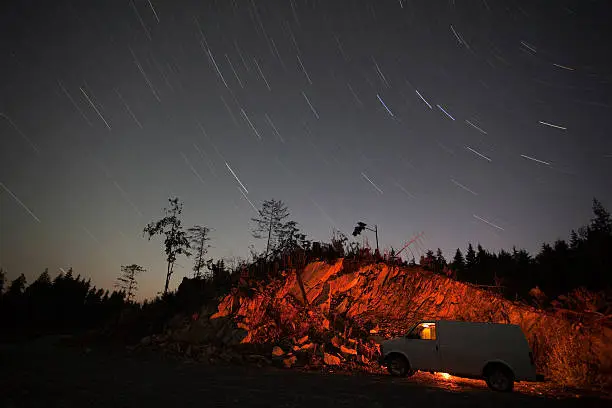
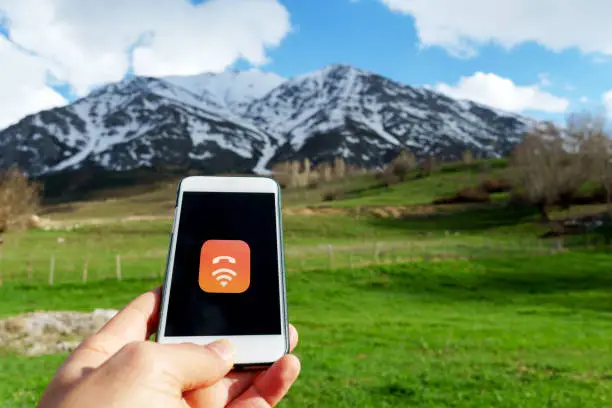
You have finally done it. You are parked at the edge of a pristine lake somewhere in northern Ontario. The trees are reflecting in the water. There is not another soul for kilometres. You open your laptop to start work and your phone shows zero bars.
Welcome to one of the most common challenges of vanlife in Canada: finding internet in remote areas.
Canada’s wilderness is incredible. It is also one of the hardest places in the world to stay connected. But the problem is solvable. Van lifers and digital nomads are figuring it out every day using a combination of smart planning, the right gear, and creative workarounds.
This guide is your complete toolkit for staying online in remote Canada even when civilization feels very far away.
Why Remote Canada Has Such Poor Coverage
Canada has one of the lowest population densities on earth. Outside major cities and suburban areas there are vast stretches of land where almost nobody lives. Building and maintaining cell towers in these regions is expensive and from a business perspective hard to justify for carriers.
That means huge parts of Canada including northern British Columbia, the Yukon, rural Quebec, and Labrador have little to no mobile coverage from any carrier. Even in popular parks like Banff, Jasper, and Cape Breton, cell service is patchy or non-existent once you leave the main visitor areas.
According to the Canadian Radio-television and Telecommunications Commission, expanding rural and remote broadband coverage remains one of the top connectivity priorities in Canada. That tells you everything you need to know about where things currently stand.
If you want internet in remote Canada you cannot rely on the mobile network alone. Here is what actually works.
The Core Solutions for Remote Internet in Canada
Most experienced van lifers use a combination of two or more of these solutions depending on where they are and what they need.
1. Satellite Internet with Starlink
Starlink has become the gold standard for remote connectivity in Canada. Because it works through a network of satellites in low earth orbit it does not depend on ground-based towers at all. If you have a clear view of the sky you can get internet, full stop.
Speeds typically range from 25 Mbps to 150 Mbps which is more than enough for remote work, streaming, and video calls. Latency sits around 25ms to 60ms, which is much lower than older satellite systems.
To get started you need the Starlink hardware kit at approximately 700 CAD, a Starlink Roam subscription at approximately 150 CAD per month, a clear unobstructed view of the northern sky, and enough solar power to run the dish which draws 40 to 75 watts.
Starlink is best for full-time van lifers, remote workers, and anyone who spends significant time off the grid. The main limitations are the high cost, bulky equipment, power requirements, and reduced performance in dense forest without a clearing.
2. Cell Signal Boosters
A cell signal booster does not create a signal where none exists but it can take a very weak signal and amplify it into something usable. In areas where you get one or two bars a booster can make the difference between barely functional internet and a reliable working connection.
Signal boosters use an external antenna mounted on your van roof to capture distant signals. An internal amplifier boosts that signal and rebroadcasts it inside the van for your phone or mobile hotspot device.
The WeBoost Drive X RV is one of the most popular choices for van lifers. It is designed for large vehicles and works with all Canadian carriers. The Cel-Fi GO is carrier-locked but extremely powerful, requiring you to choose one network to boost. The HiBoost Travel 4G is a more affordable option for budget-conscious van lifers.
Signal boosters are best for areas with weak but existing cell signal including coastal routes, rural highways, and areas near small towns. They cannot help in areas with absolutely no signal nearby.
3. Mobile Hotspot Canada: Multi Carrier SIM Strategy
No single carrier covers all of remote Canada well. Each carrier has different strengths in different regions. Smart van lifers carry SIM cards from more than one carrier or use a dual SIM phone to switch between networks depending on where they are.
Using a mobile hotspot Canada setup with two carriers dramatically increases your chances of having at least one working network in any remote area you visit.
Telus has strong rural coverage in western Canada especially in BC and Alberta. Bell performs well in Quebec, Ontario, and eastern Canada. Rogers dominates coverage in Ontario and has solid BC coverage.
By carrying two SIMs such as Telus and Bell you cover a much wider range of remote territory. Some van lifers also keep an American carrier SIM like T-Mobile if they cross the border regularly since US roaming can sometimes pick up signals near the border that Canadian carriers miss.
A few things to watch out for with this approach. MVNOs like Public Mobile and Chatr often do not have roaming agreements with other networks. Postpaid plans from the major carriers usually include national roaming which helps significantly when you are in coverage gaps.
4. Wi-Fi in Small Towns and Communities
Do not underestimate the value of small town Wi-Fi when you are passing through remote areas. Many communities across Canada offer free public Wi-Fi through public libraries, Tim Hortons and other fast-food chains along major highways, community centres and recreation facilities, provincial and private campgrounds, and national and provincial park visitor centres.
The strategy is simple. When you are near a town, stock up on data. Download what you need, upload your work, and then head back into the wild with everything you need already on your device.
Planning Your Route Around Connectivity
One of the most useful skills you can develop as a remote van lifer is planning routes with connectivity in mind before you leave.
Check carrier coverage maps for your planned route before departing. Be aware that coverage maps tend to be optimistic and real-world signal is often weaker than what they show.
Use community-sourced coverage data through apps like OpenSignal which shows real user-reported signal data and is more accurate than official carrier maps.
Join van life community groups online where people share real-time connectivity information for specific roads and parks across Canada. This peer knowledge is genuinely invaluable when you are planning a route through unfamiliar territory.
Identify anchor spots along your route. These are towns where you know you can get reliable internet. They become your check-in points for heavy work, video calls, and restocking connectivity before heading back into remote territory.
Managing Your Data Smartly in Remote Areas
Even when you have internet in remote Canada it is often limited. Here is how experienced van lifers get the most out of every connection.
Download everything possible before leaving a city or town. This includes offline maps through Google Maps or Maps.me, podcasts and audiobooks for long drives, movies or shows for evenings, work files and documents you will need, and any software updates that are pending.
Compress large files before uploading and use lower-resolution video settings for calls when signal is weak. Schedule internet-heavy tasks for good signal windows. If you know you will pass through a town on a specific day, plan your video calls, large uploads, and client meetings for that day.
Turn off background data on your phone and devices. Apps running in the background including social media, cloud backups, and app stores will drain your mobile hotspot data without you realizing it. Disable background refresh and set cloud services to sync only on Wi-Fi.
Use a data monitoring app to keep track of usage. Apps like My Data Manager for phones or router-based monitoring through a portable router can alert you before you hit your data limits.
Power Management for Remote Internet Gear
Running internet equipment off-grid means thinking carefully about your power setup.
A smartphone in hotspot mode draws 2 to 5 watts. A dedicated mobile hotspot device draws 5 to 15 watts. A signal booster draws 5 to 10 watts. A Starlink dish draws 40 to 75 watts. A laptop draws 30 to 65 watts.
Running Starlink plus a laptop all day puts you at roughly 100 to 140 watts of continuous draw. For 8 hours of work that comes to 800 to 1,100 watt-hours of energy per day.
A practical solar setup for remote working van lifers includes 400 to 600 watts of solar panels, 100 to 200Ah of lithium iron phosphate LiFePO4 battery storage, and a quality solar charge controller. This setup handles most Canadian weather conditions, though extended cloudy days may require driving to recharge via the alternator. The Canadian Renewable Energy Association has solid resources on sizing off-grid power systems if you want to go deeper on the numbers for your specific setup.
What to Do When There Is No Signal at All
Sometimes no matter what you do there is simply no signal. Here is how to handle true dead zones without losing your mind or your productivity.
Embrace it. The places with the worst internet are often the most beautiful in Canada. Take it as an opportunity to disconnect intentionally. You will come back refreshed and more productive than you were before.
Use dead-zone time wisely. Plan deep work sessions, creative projects, or tasks that do not require internet. Many van lifers do their best writing and thinking in complete dead zones away from distractions.
Drive to signal. If you need internet urgently sometimes the answer is to simply drive until you have it. Even 20 to 30 kilometres can make a significant difference in signal availability depending on where you are.
Carry a satellite messenger for emergencies. Devices like the Garmin inReach or SPOT satellite messenger use a different satellite system to send and receive text messages even without any cell signal. They cannot replace internet access but they keep you safe and connected to emergency services when you genuinely need help.
The Reality of Remote Vanlife in Canada for Digital Nomads
Let us be honest about what remote vanlife in Canada really looks like for people who work online.
You will have amazing days. Crystal clear Starlink signal beside a mountain river. Productive work sessions in stunning locations. Days where your life feels like a travel documentary.
You will also have frustrating days. A cloudy sky that weakens your Starlink signal. A mobile hotspot Canada connection that teases you with a loading screen that never finishes. A flat battery that shuts everything down mid-afternoon.
Remote connectivity in Canada is not perfect. But with the right setup, the right expectations, and the right strategies you can absolutely make it work.
The van lifers who thrive out here are the ones who plan ahead, stay flexible, and never let a bad signal day ruin a good adventure.
Quick Reference: Remote Canada Internet Toolkit
Here is a summary of what a well-prepared remote van lifer carries for connectivity in Canada.
A Starlink Roam kit handles true off-grid coverage anywhere with a clear sky. A dual SIM setup using Telus plus Bell or Rogers gives you carrier redundancy across different regions. A WeBoost or similar signal booster amplifies weak signals into something usable. Offline maps downloaded before departure keep navigation working without data. A Garmin inReach provides emergency communication when everything else fails. A robust solar setup with 400 to 600 watts of panels and lithium battery storage powers everything reliably.
Build your kit based on your travel style and budget. Start with what you need most and add to it as you learn where you spend your time and what gaps you actually run into on the road.
Frequently Asked Questions
What is the best mobile hotspot Canada option for vanlife in remote areas?
For remote areas of Canada the most reliable mobile hotspot Canada setup is a dual SIM approach using Telus and Bell together. Telus covers western Canada and rural BC and Alberta particularly well while Bell performs strongly in Quebec, Ontario, and the east. Using both gives you coverage across a much wider range of remote territory than any single carrier can provide.
Does Starlink work better than a mobile hotspot in remote Canada?
In truly remote areas yes. A mobile hotspot depends entirely on cell tower coverage which simply does not exist in large parts of northern and rural Canada. Starlink works anywhere with a clear view of the sky regardless of how far you are from the nearest town or tower. For mixed travel that includes both cities and remote areas many van lifers use both together.
How much data do you need for vanlife in Canada?
It depends on how you use the internet. Remote workers doing video calls and uploading files regularly need at least 50 to 100GB per month. Light users checking email and browsing can get by on 20 to 30GB. Streaming video every night will push your usage much higher. Always go for the highest data plan you can afford before heading into areas where topping up is not an option.
Can a signal booster give me internet in a dead zone in Canada?
No. A signal booster amplifies existing weak signals but it cannot create a signal where none exists. If you are in a true dead zone with zero bars anywhere nearby a booster will not help. Starlink is the only practical solution for areas with genuinely no cell coverage.
What is the cheapest way to get internet for vanlife in remote Canada?
The most affordable approach is a postpaid plan from Telus or Bell with national roaming included paired with a signal booster to maximize weak signals. This covers a wide range of situations at a much lower monthly cost than Starlink. For van lifers on a tight budget who still need remote connectivity this combination is the most cost-effective starting point.
Where can I find accurate coverage maps for remote Canada?
The official carrier websites publish coverage maps for Rogers, Bell, and Telus. For more accurate real-world data use OpenSignal which shows actual user-reported signal strength across Canada. Van life community groups on Facebook and Reddit are also excellent sources of current on-the-ground connectivity information for specific routes and parks across the country.